Case study · Landbay · B2B fintech
Affordability calculator
A finance tool created for brokers to calculate affordability instantly.
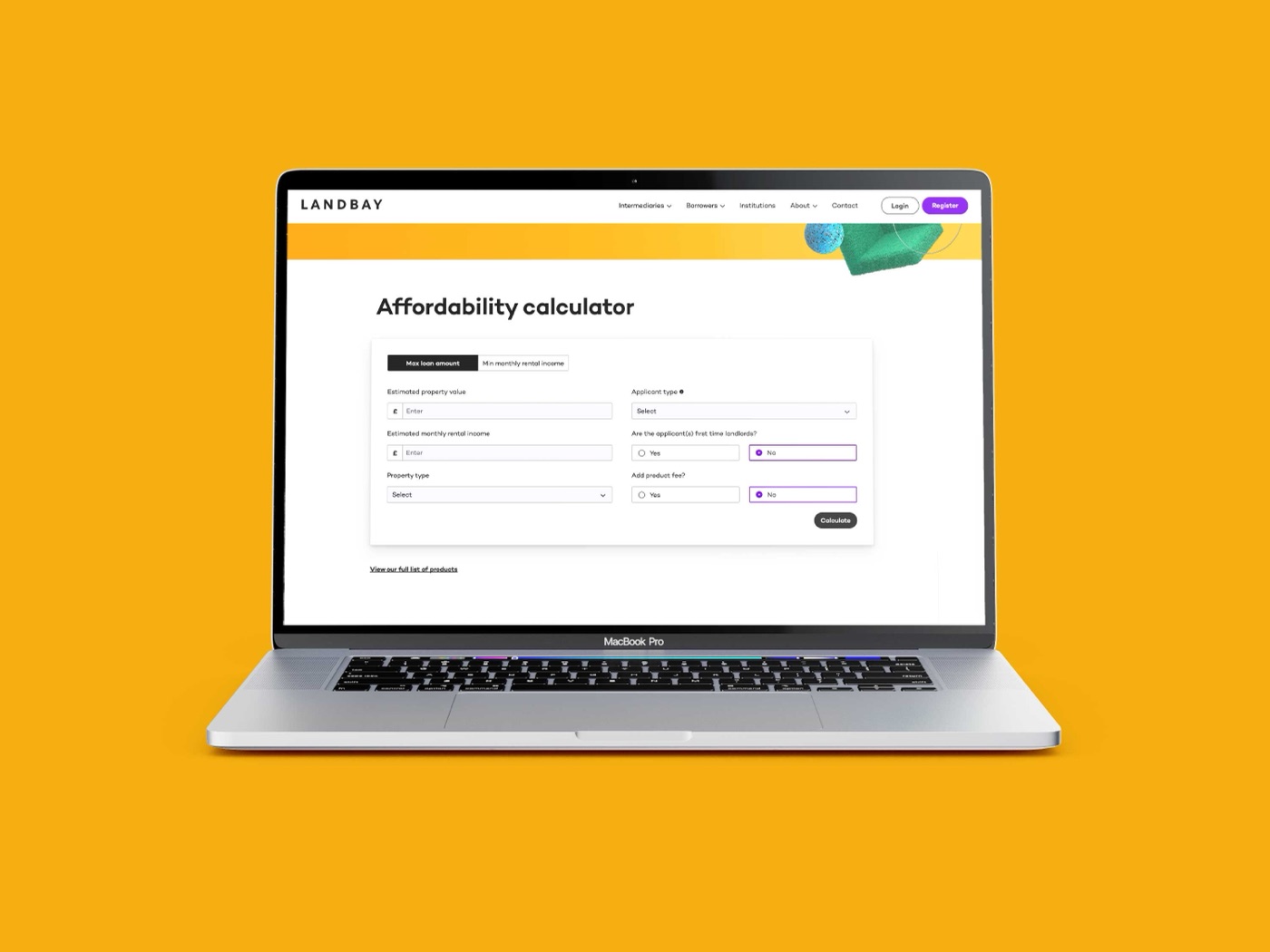
The affordability calculator is designed for Landbay’s buy-to-let platform. It helps brokers and landlords check mortgage eligibility without choosing a product first. I improved Landbay’s existing products page and designed a new product-free calculator, so users can work out their maximum loan amount and minimum monthly rental income.
Live on Landbay’s website: Affordability calculator · BTL products
- What I did
- Competitor research, broker interviews, user flows, wireframes, high-fidelity design
- Users
- Mortgage brokers and landlords
- Platform
- Landbay’s website, designed for desktop first
- Status
- Live, with more work in progress
Impact
- ~5%of the sales team’s time saved every week, with fewer calls from brokers asking for clarification
- Product-freebrokers see what they can borrow, and on which products, without choosing one first
- Liveon Landbay’s website, for brokers and landlords
The problem
- Brokers could only calculate affordability for a limited number of products.
- Brokers needed to have a product in mind before calculating affordability.
- Brokers were confused by “Maximum net loan”, despite the tooltip.
- The comparison feature on the product cards didn’t stand out.
- Product result cards were missing key information, such as total cost and maximum net loan.
- Brokers couldn’t easily see how much they could get without fees included.
- Brokers couldn’t calculate the minimum monthly rental income.
The question we set out to answerHow might we show brokers what they can borrow, and on which products, without making them pick a product first?
Goals
- Create a new calculator so users can calculate affordability without selecting a product, and see the products they’re eligible for.
- Let users sort and filter results to find the products they need.
- Update the advanced filters so they are future-proof.
- Show both the maximum net and gross loan amounts.
- Show the total cost over the initial period for each product.
- Make the comparison feature clear, so users can select products and compare affordability side by side on the products page.
Research
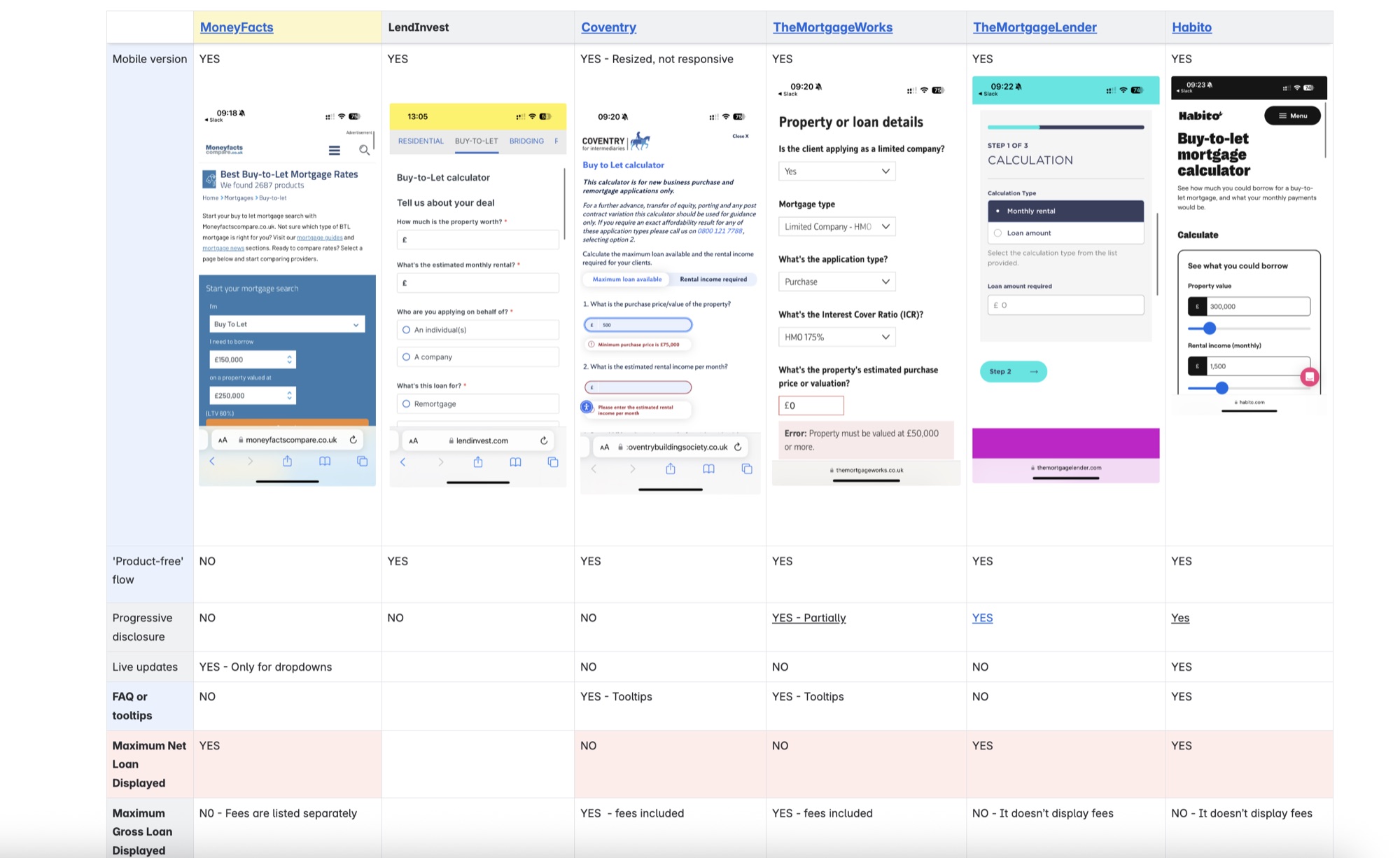
To kick off, I looked at how other lenders design and present affordability calculators on their websites. I also spoke with brokers to understand their pain points with our existing product calculator, and to find opportunities to improve it for them.
Market research
What brokers told us
Brokers were generally happy with the existing product calculator. They found it accurate, easy to use and better than most competitors’.
What they valued
- Comparing products directly
- Automatic stress rate calculations
- A comprehensive range of products
- A simple, fast and clear interface
- Desktop first, with no immediate need for mobile
What they suggested
- Compare total costs over fixed periods, including arrangement fees
- Order products by lowest rate or total cost
- Show all available products after entering just the basics
Overall findings
calculators on the market don’t ask for a product upfront.
Most brokers were happy with our calculator, which they saw as one of the best in the buy-to-let market.
Brokers mainly use the calculator on a desktop.
Despite personal preferences, brokers agreed the comparison feature should stand out more and the product cards should be clearer to avoid confusion.
Brokers saw the benefit of a product-free calculator in a separate section of Landbay’s marketing website.
Wireframes
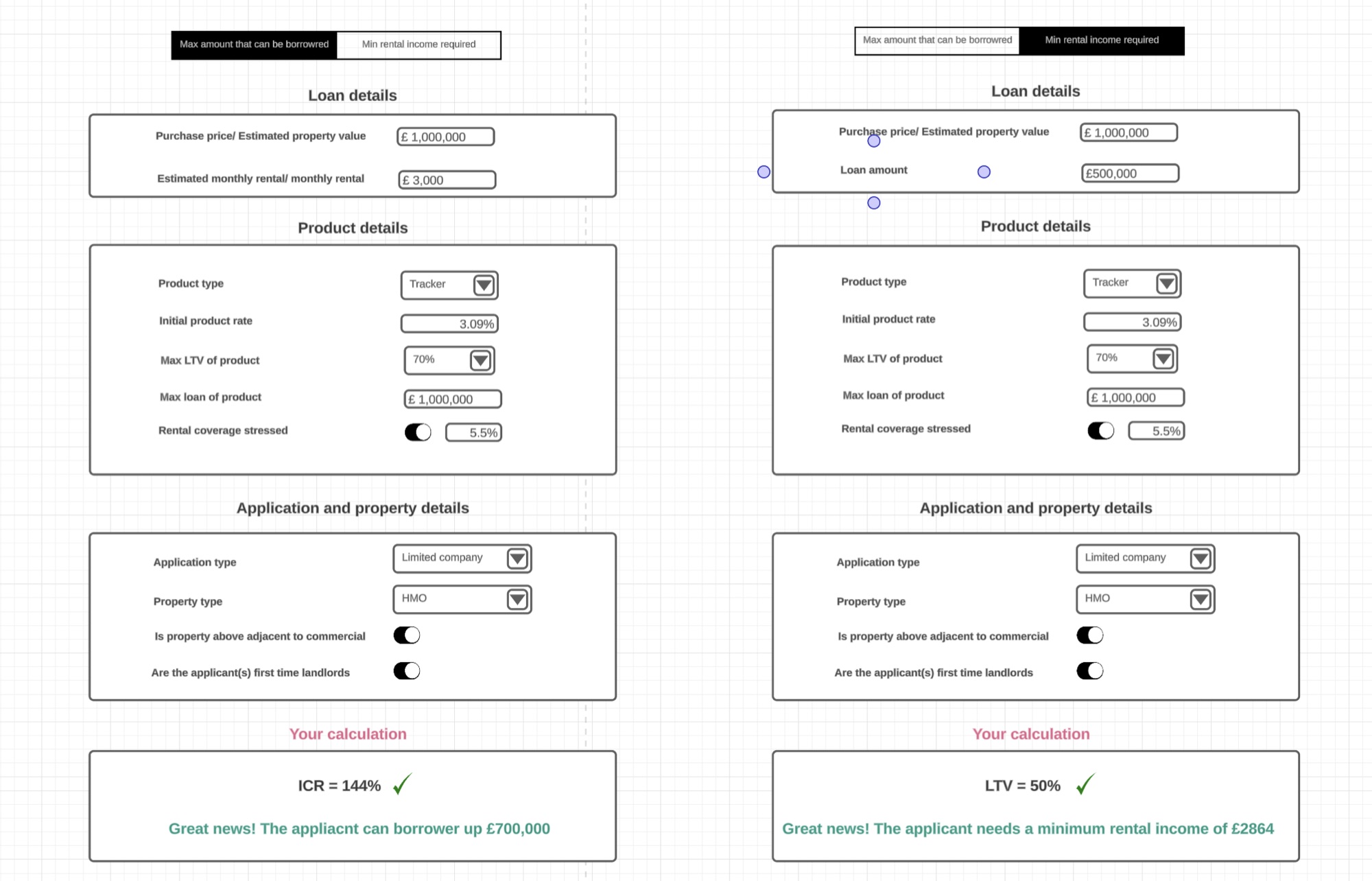
Before starting the high-fidelity designs, I mapped the flow for the product-free calculator’s two calculations: the maximum amount that can be borrowed, and the minimum rental income required.
High-fidelity design
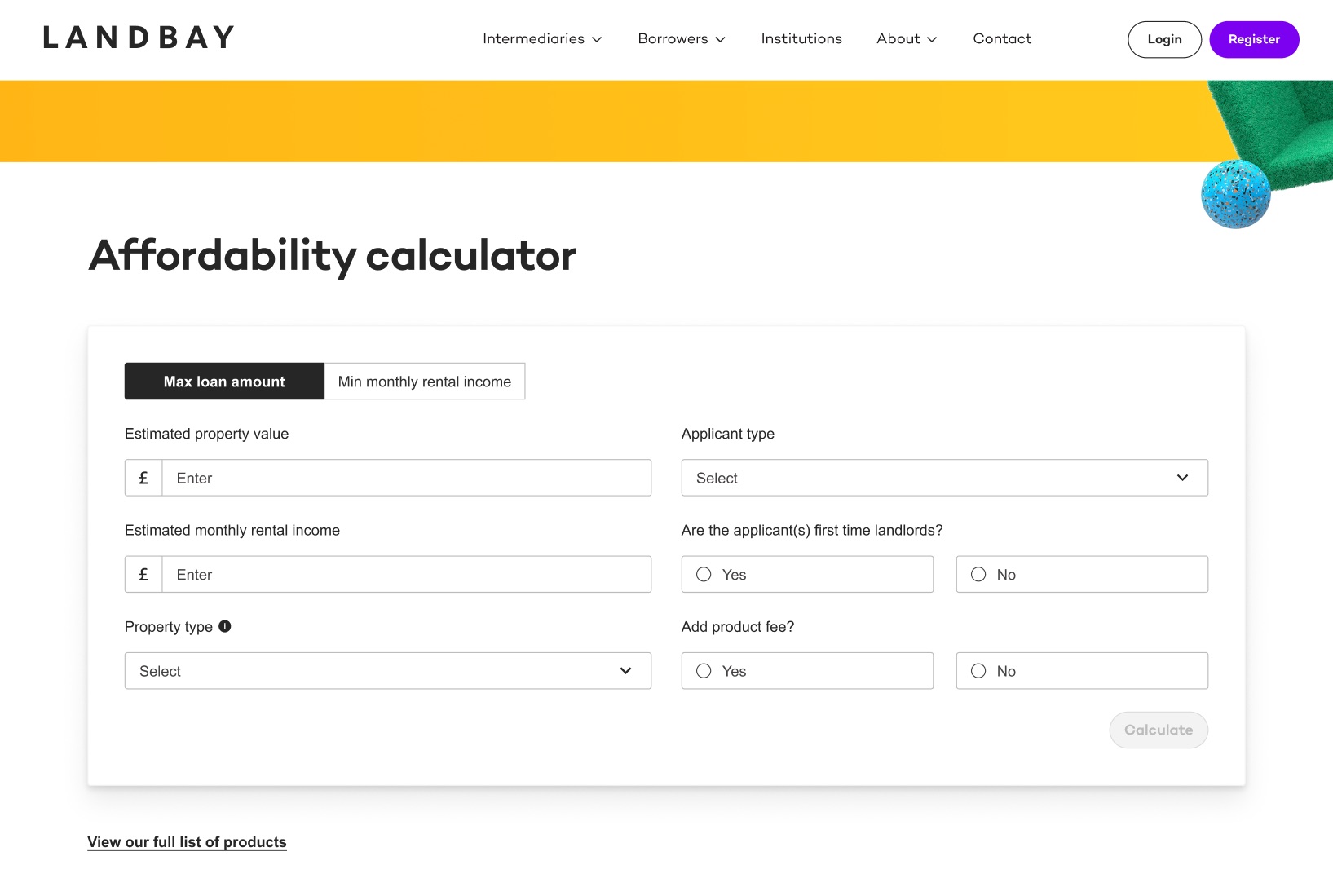
Maximum loan amount
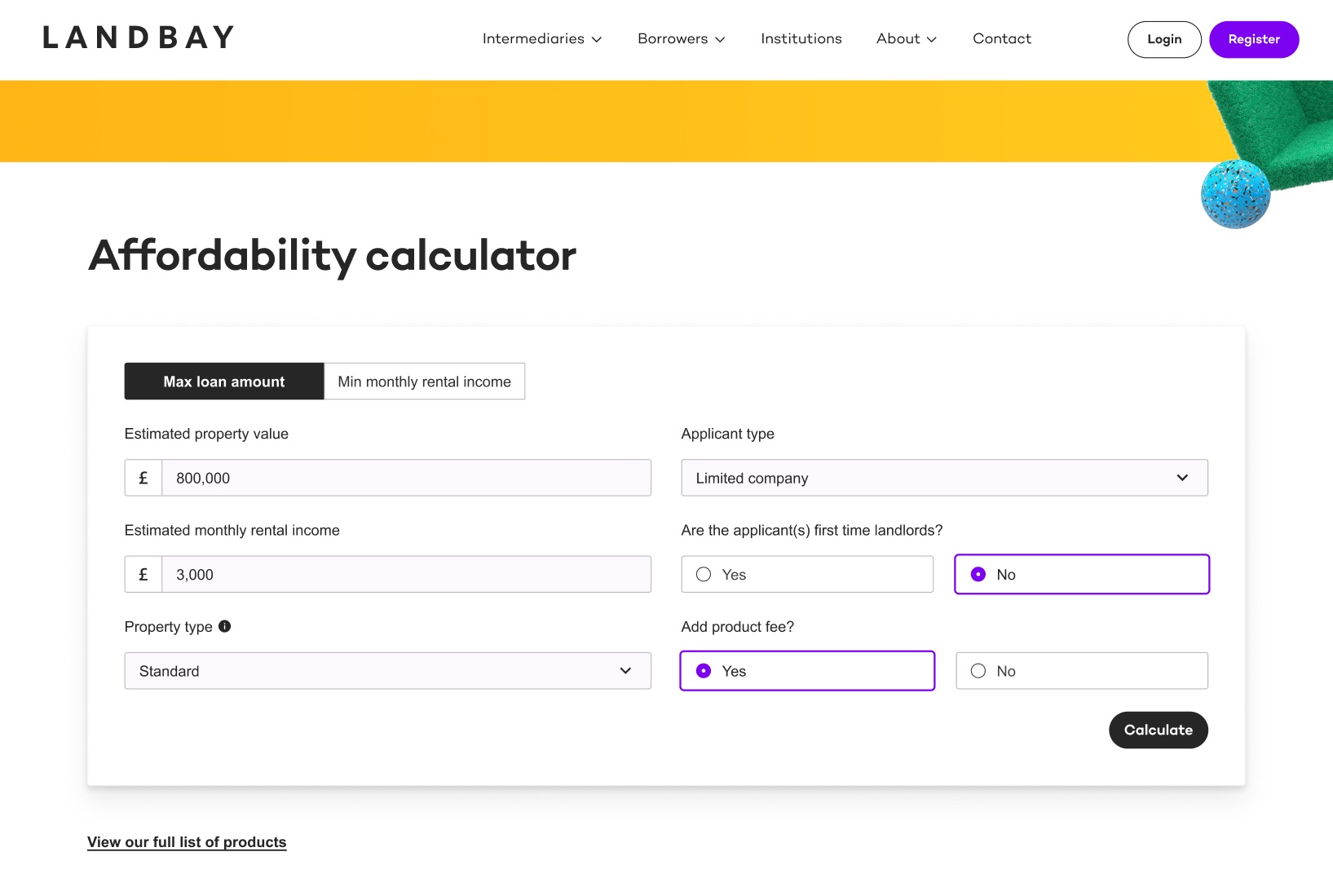
Brokers enter the property value, the expected monthly rent and a few details about the applicant and property. All fields need to be completed before the maximum loan amount can be calculated.
Every product that fits, in one list
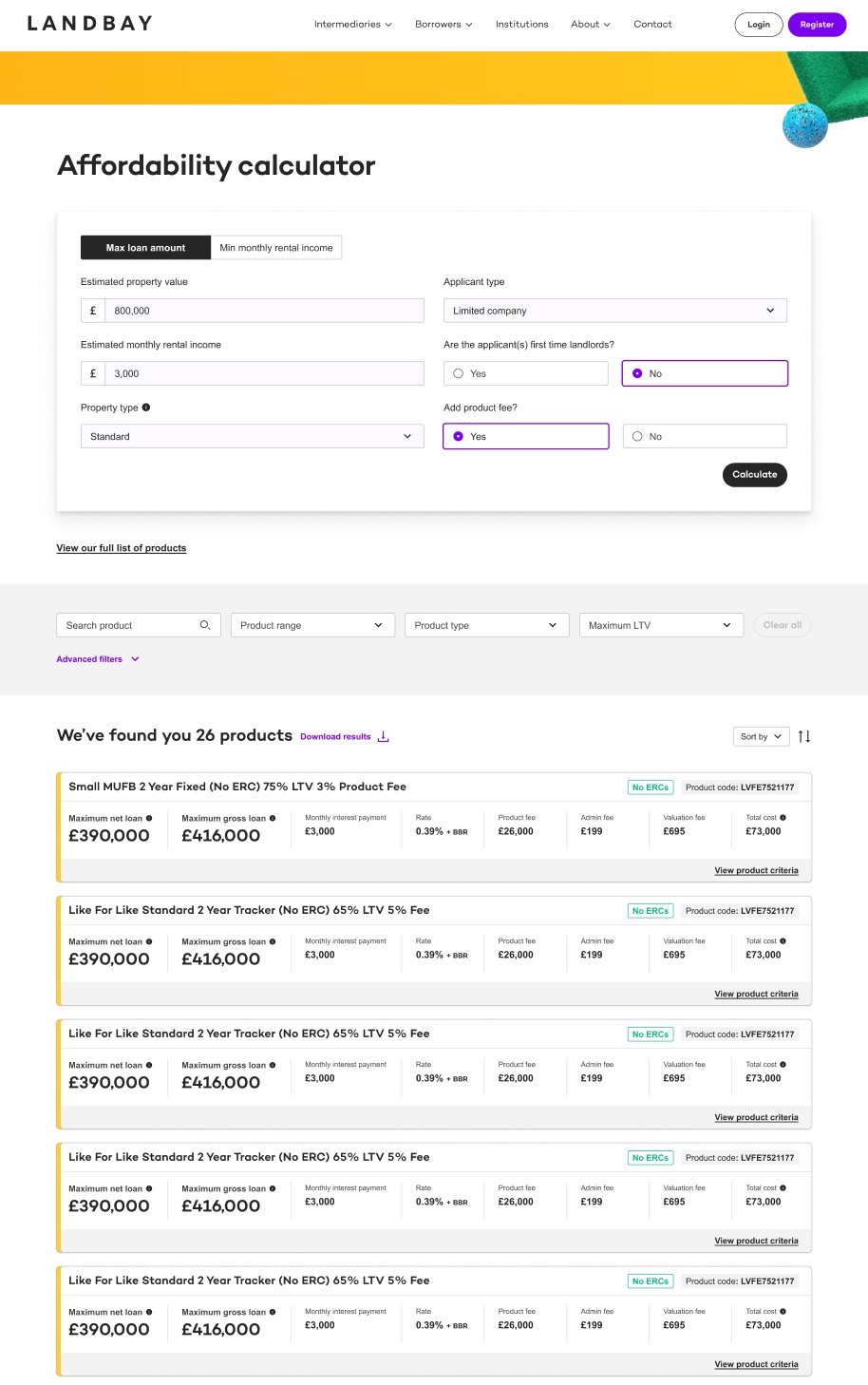
Once the user clicks Calculate, every product that matches their affordability appears on the screen. Users can:
- filter products by product range, product type and maximum LTV (loan to value)
- download the results and share them with their clients
- clearly see how much they can borrow without fees included
- see the total cost of borrowing, including fees, over the initial term
- view the product criteria if they want to
The improved product result cards saved the sales team around 5% of their time each week. The information was clearer for brokers, so they needed to call sales for clarification less often.
Minimum monthly rental income
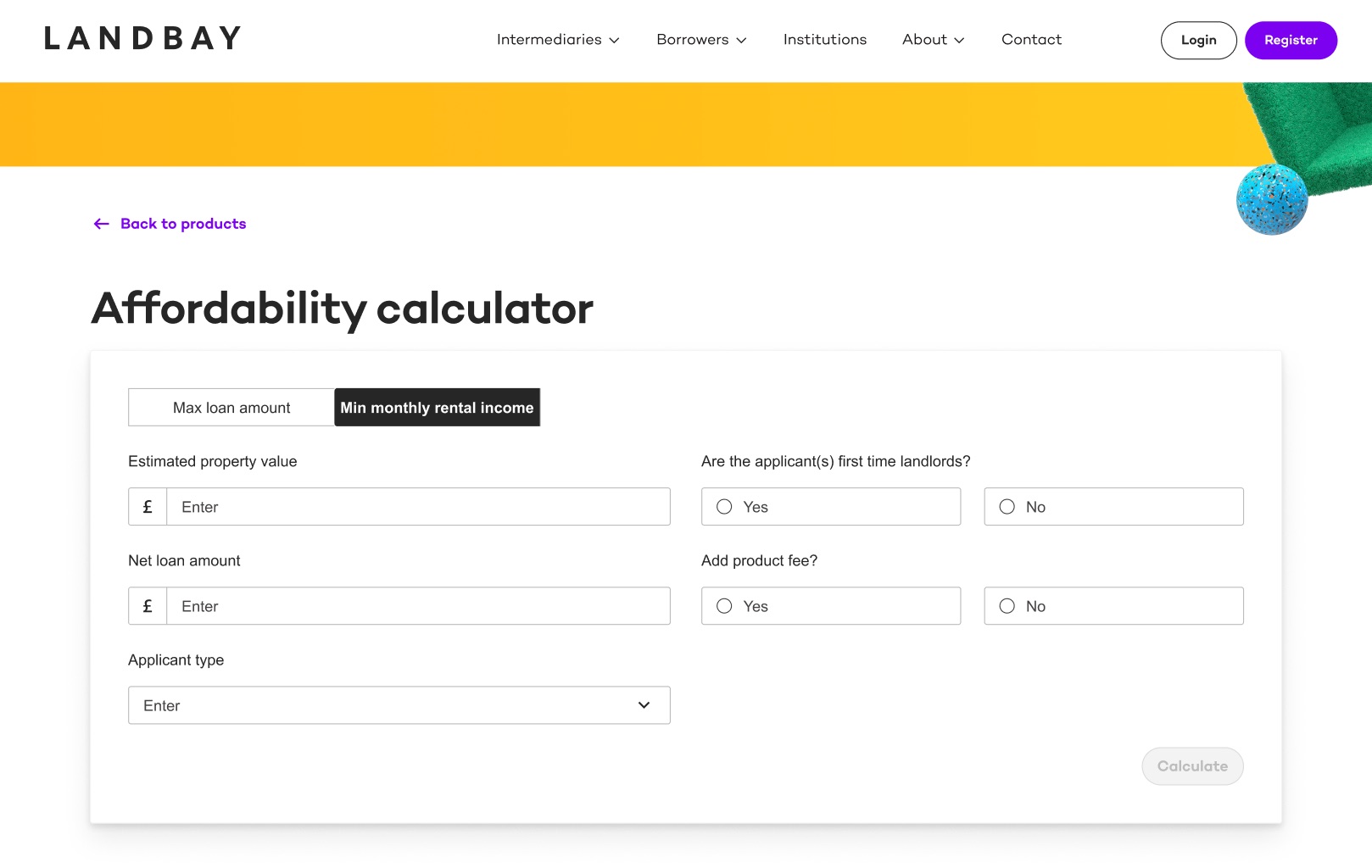
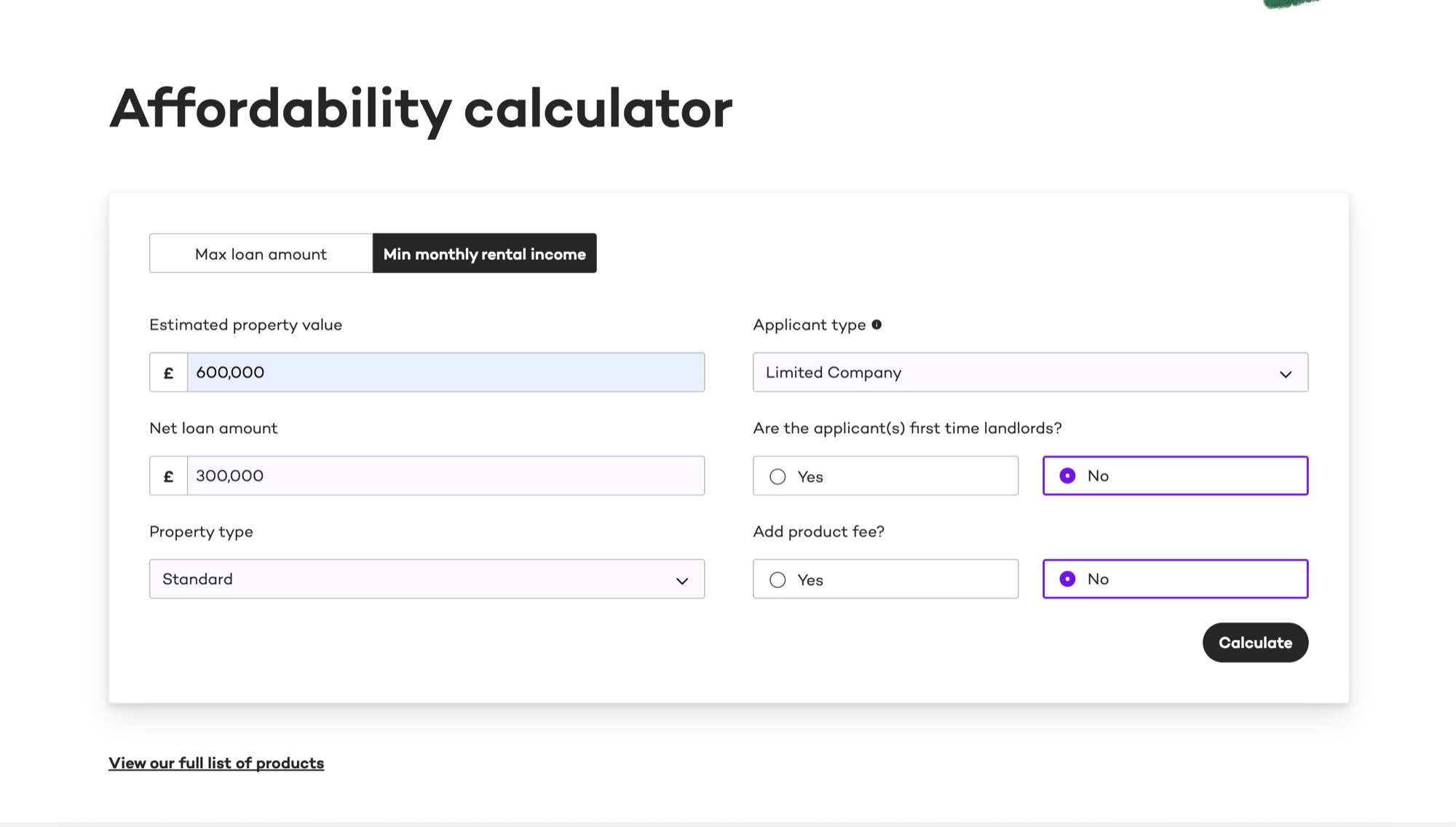
The second tab works the other way round. Brokers enter the property value and the loan they need, and the calculator shows the minimum monthly rent required. All fields need to be completed before it can be calculated.
What’s next
The calculator is live, and work on the next stage of the project is in progress.